Scaling Role-Based Access Control at PTC
Expanding access and empowering PTC teams to manage roles at scale.
Company
PTC
Role
Lead Designer, PTC Atlas Team
Key Collaborators
Product Management
Frontend + Backend Engineering
My Design Team
Tech Writing
QA
Tools
Figma, Miro, Jira
Project Timeframe
June 2025 - October 2025
Challenge
PTC’s Operator Center is a core internal application used to manage customer organizations, licenses, and users across our SaaS platform.
Until recently, only a small group of Super Admins had full access — meaning that every support request, license lookup, or account fix had to flow through them.
This created bottlenecks, slow customer response times, and heavy dependency on a few technical users. At the same time, expanding access wasn’t as simple as flipping a switch — we needed a solution that balanced efficiency and security, giving more people visibility without compromising data integrity.
How can we safely expand access across PTC’s support and operations teams without introducing risk or administrative chaos?
Results
Authorized PTC Support can now access and leverage a subset of the features within PTC Operator Center without relying on a select few Super Admins.
The success of this project manifested into three key areas:
New support admin role with a role-specific UI
Operator management tool
Super admin activity audit log page
Super Admin Bottlenecks and Visibility Gaps
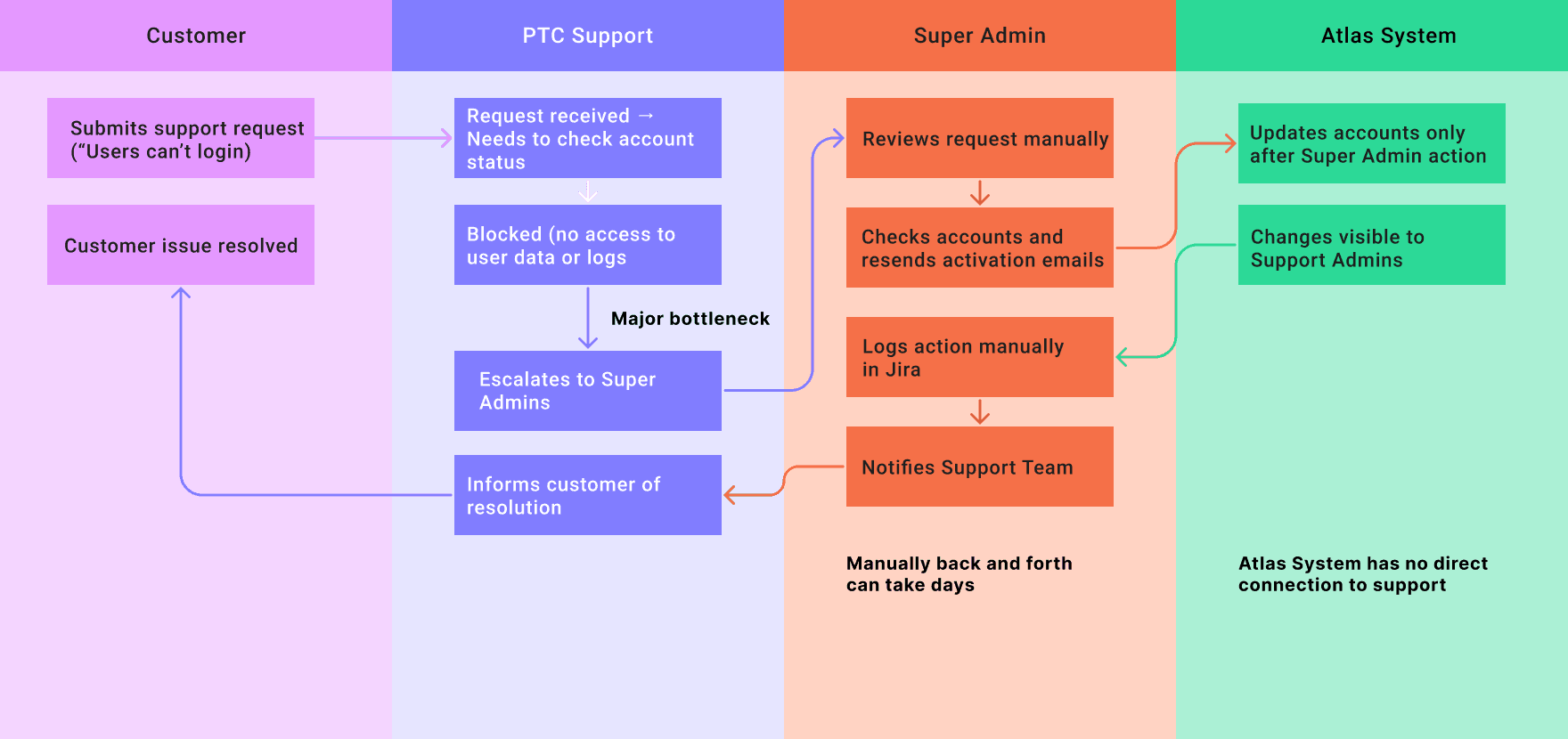
The Legacy Workflow
Only a small group of Super Admins could view or edit customer data across PTC’s SaaS environments, creating major bottlenecks for day-to-day support. Routine issues like resending invitations or checking account status had to go through these few users. The lack of visibility made customer response times slow and inconsistent. Our challenge was to expand access without compromising platform integrity or security.
Meet the Operators Who Needed Access
To address these gaps, we expanded Operator Center access to new personas across PTC, empowering each to act within the principle of least privilege.
I conducted seven semi-structured interviews with internal PTC teams - Support, Order Fulfillment, Product Management, and Cloud Services—to map their workflows and pain points. Each had different data needs but similar frustrations with dependency and visibility.
From this research, I defined four key personas and proposed tiered access levels aligned to their responsibilities. The insight: access should empower support, not endanger systems.
Key Users
Operator Types
Customer Support
Front-line technical support, responding to customer access and login issues.
Verify customer account and organization data
Resend activation emails or handle minor account tasks
Log activity in audit trail
Super Admin
Top-level operator managing platform governance and auditing all operator activity.
Delegate responsibilities to other operators
Review operator activity and access levels
Maintain platform security & compliance
Provisioner
Responsible for managing and provisioning specific customer organizations.
Add or modify organizational configurations
Assign support access to team members
Track changes in audit logs
Product Support
Internal teams providing monitoring, product-specific support, and operational oversight.
View account-level metrics and system logs
Identify performance or licensing issues
Provide customers guidance without Super Admin escalation
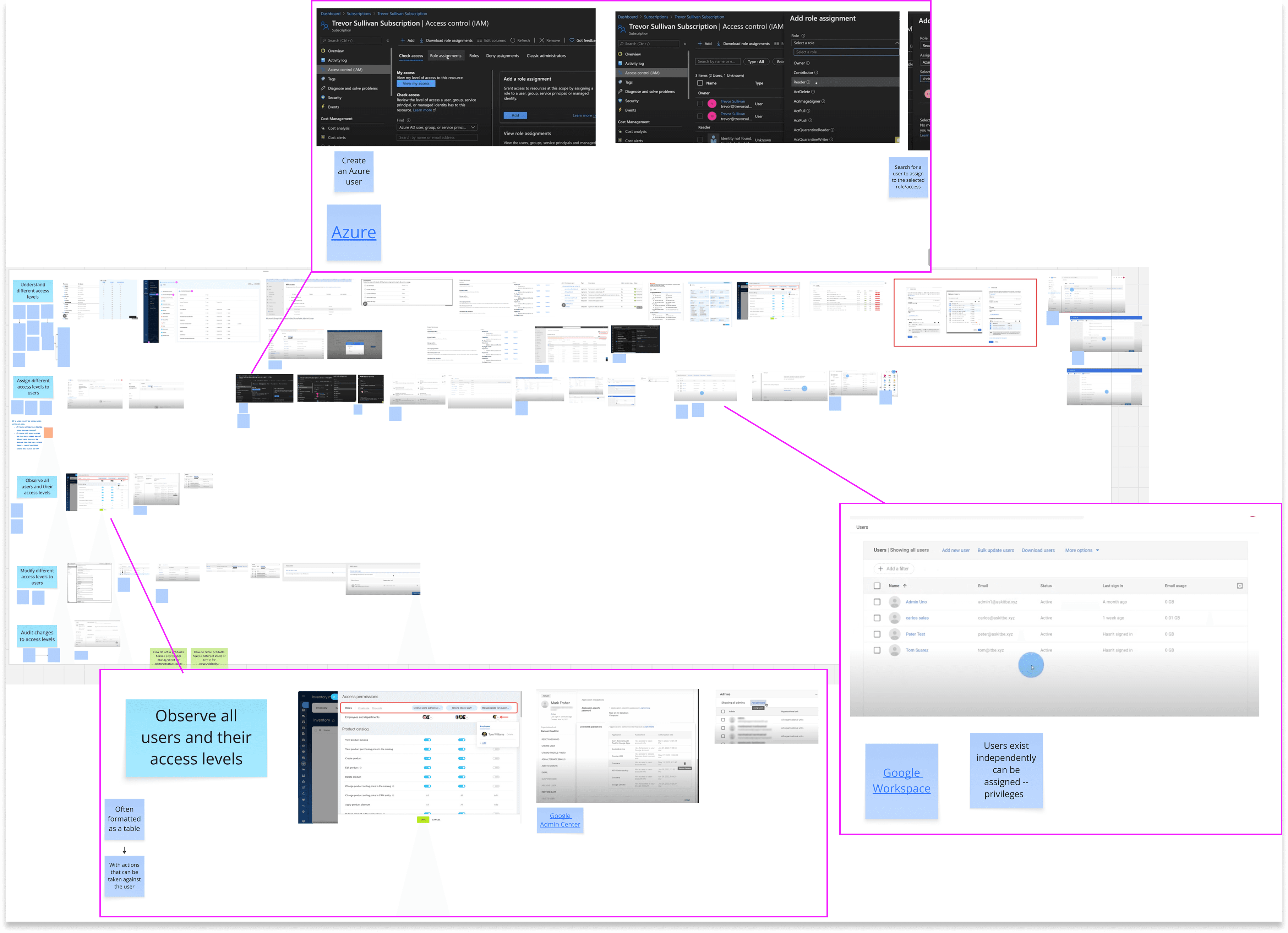
Learning from Industry Leaders
To ground our approach, I analyzed how Microsoft Azure, Google Cloud, and other enterprise tools manage role-based access. Their best practices emphasized clear role hierarchies, permission transparency, and auditable change histories. These insights helped us frame access management around visibility, accountability, and least privilege. It ensured our design aligned with enterprise security expectations while staying user-friendly.
Sketching, Testing, and Iterating
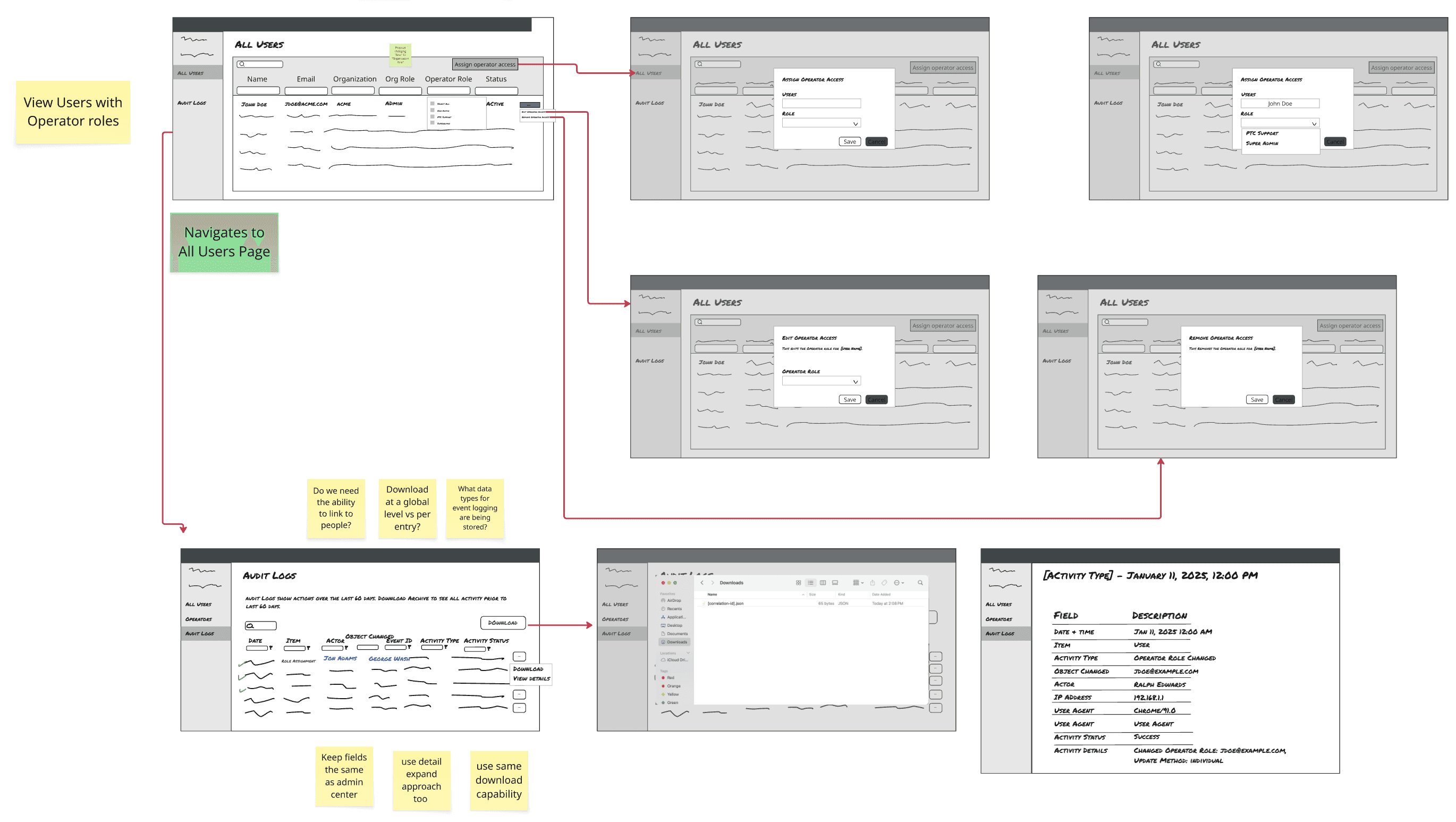
I mapped workflows for assigning, viewing, and auditing operator roles, then created low-fidelity wireframes to visualize potential flows. Working with stakeholders and engineers, I validated each step for feasibility and clarity. Early feedback highlighted the need for inline role descriptions and simplified navigation. Through multiple iterations, I refined the designs into a clean, scalable interface aligned with the PTC Design System.
Early expanded user management wireframing explorations with internal annotations and team feedback captured directly in Miro.
Giving the Right People the Right Access
The final solution introduced a clear role-based model: Support Access (read-only, limited actions), Provisioning Access (org-level control), and Super Admin Access (full management).
Added functionality and changes:
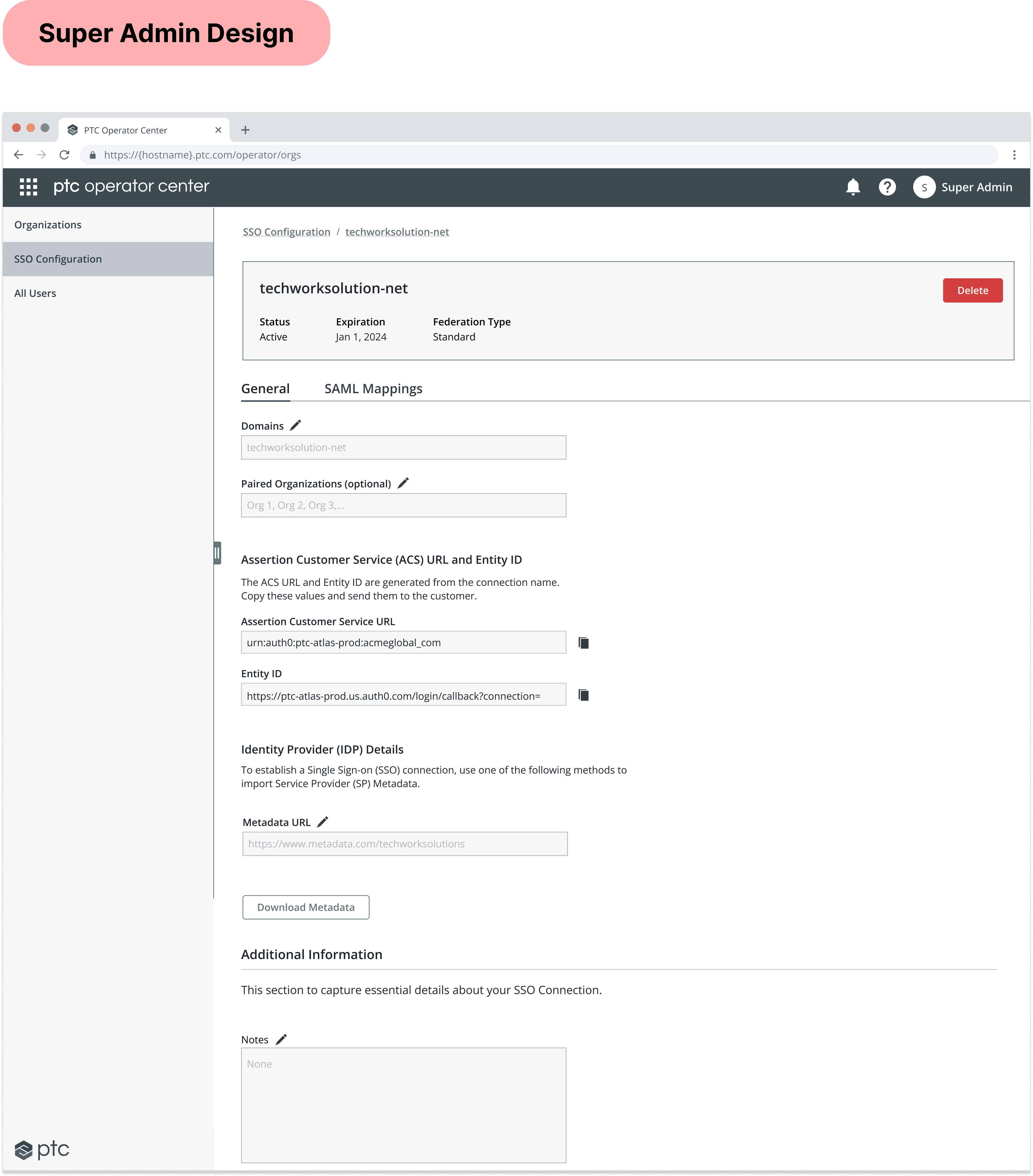
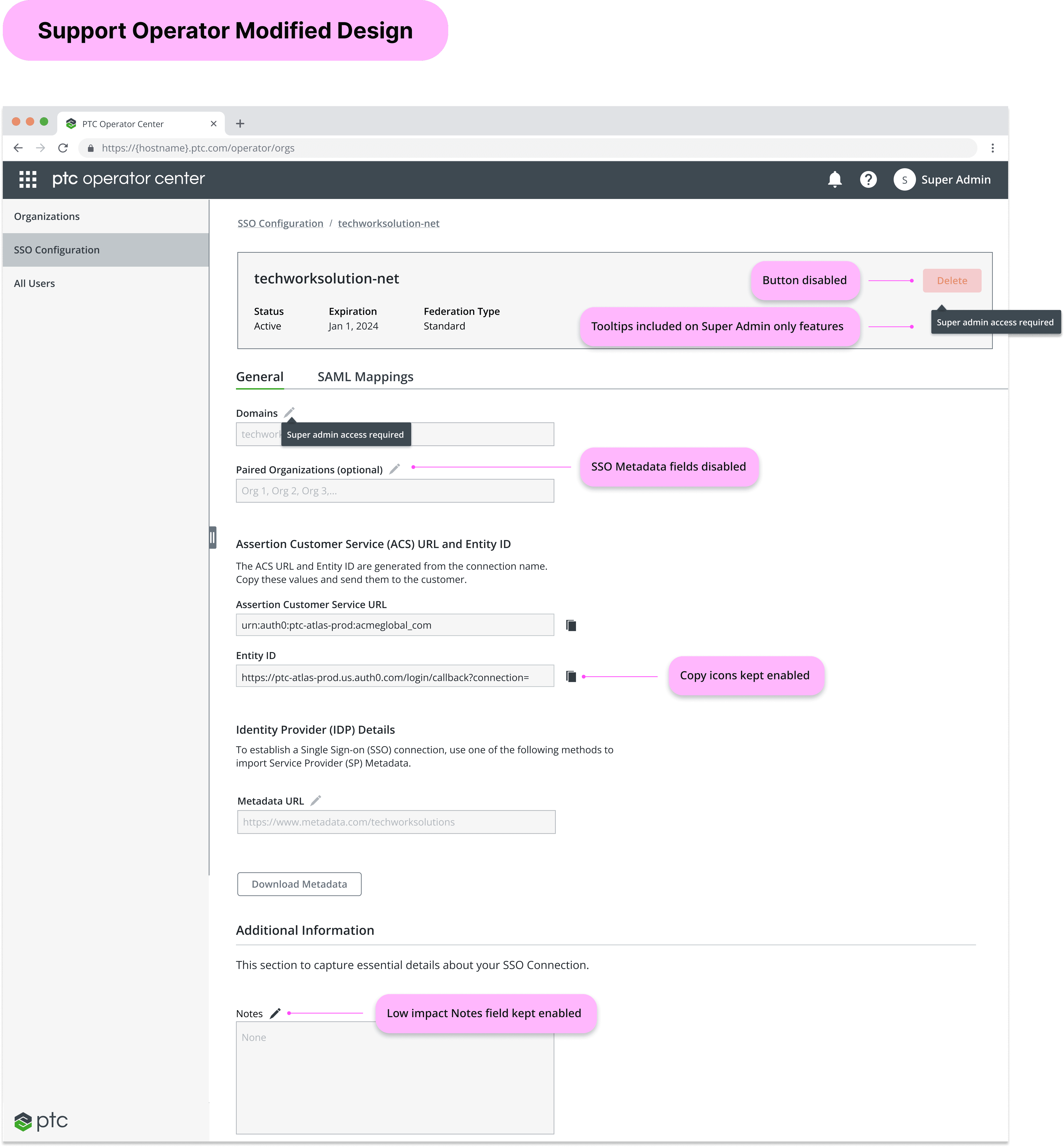
The existing pages would be modified to give appropriate permissions to these new, less privileged user base.
Support Admin role primarily gives users view-only privileges, which still allow them to view crucial organizational, user, and license details, all without the need of heavy modification.
Example Design Additions:
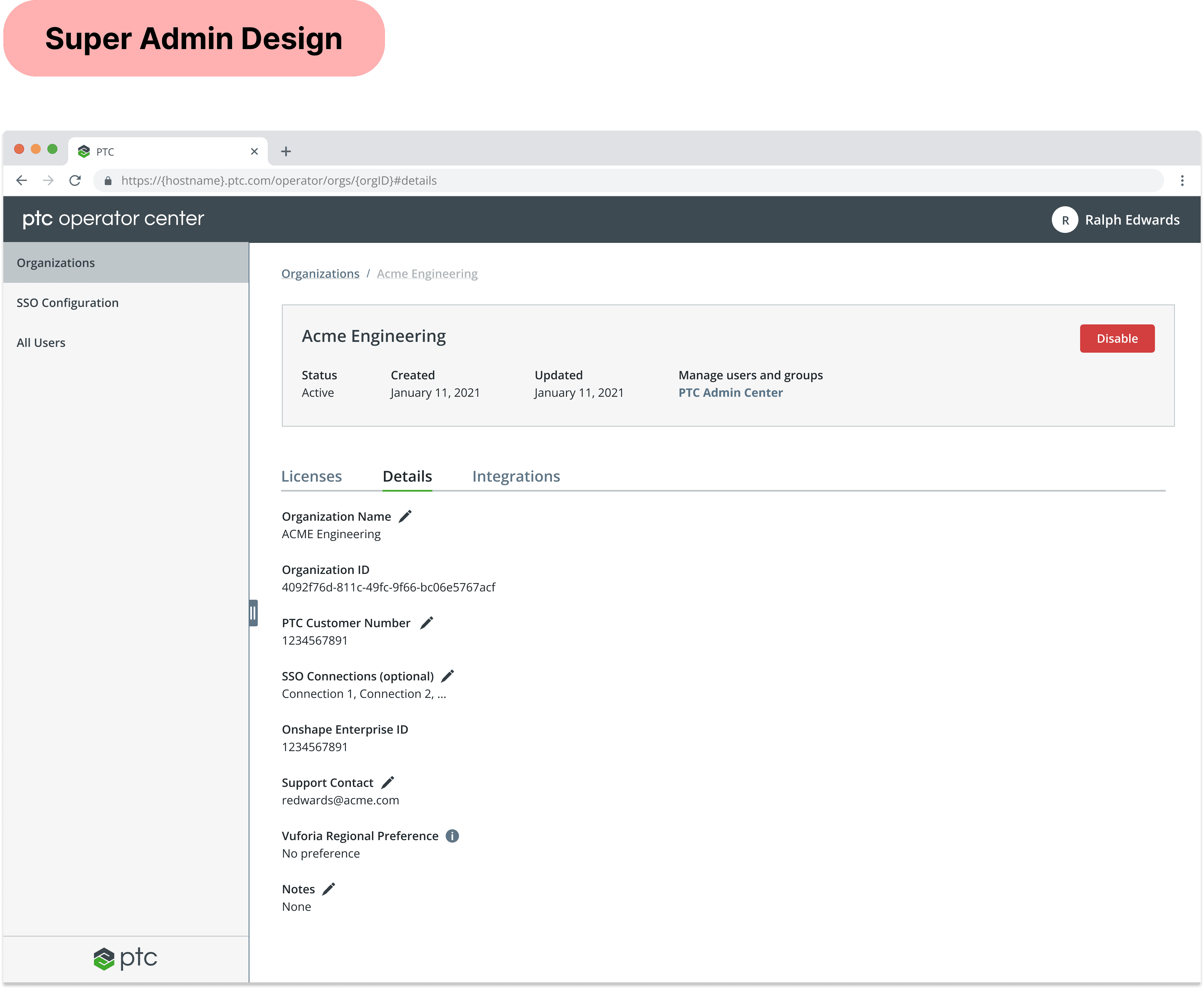
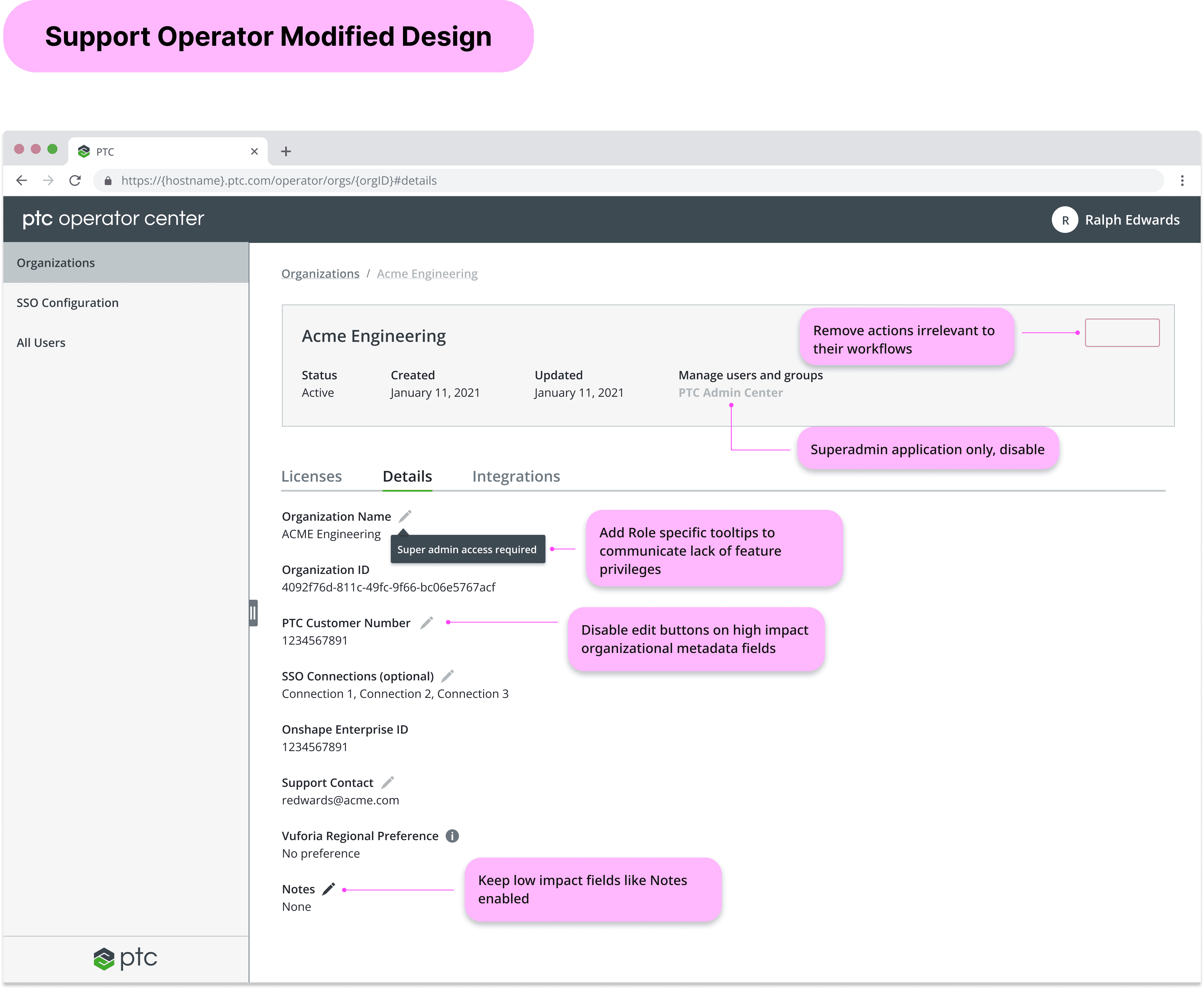
1. Organization Management
Organization management (editing org details and enablement/disablement) is a set of features only delegated to Super Admins, as any changes would drastically affect customer organizations' metadata. However, it was important to still allow Support Admins to view these details, without editing privileges, in order to fully understand organizational contexts of customers.
2. License Management
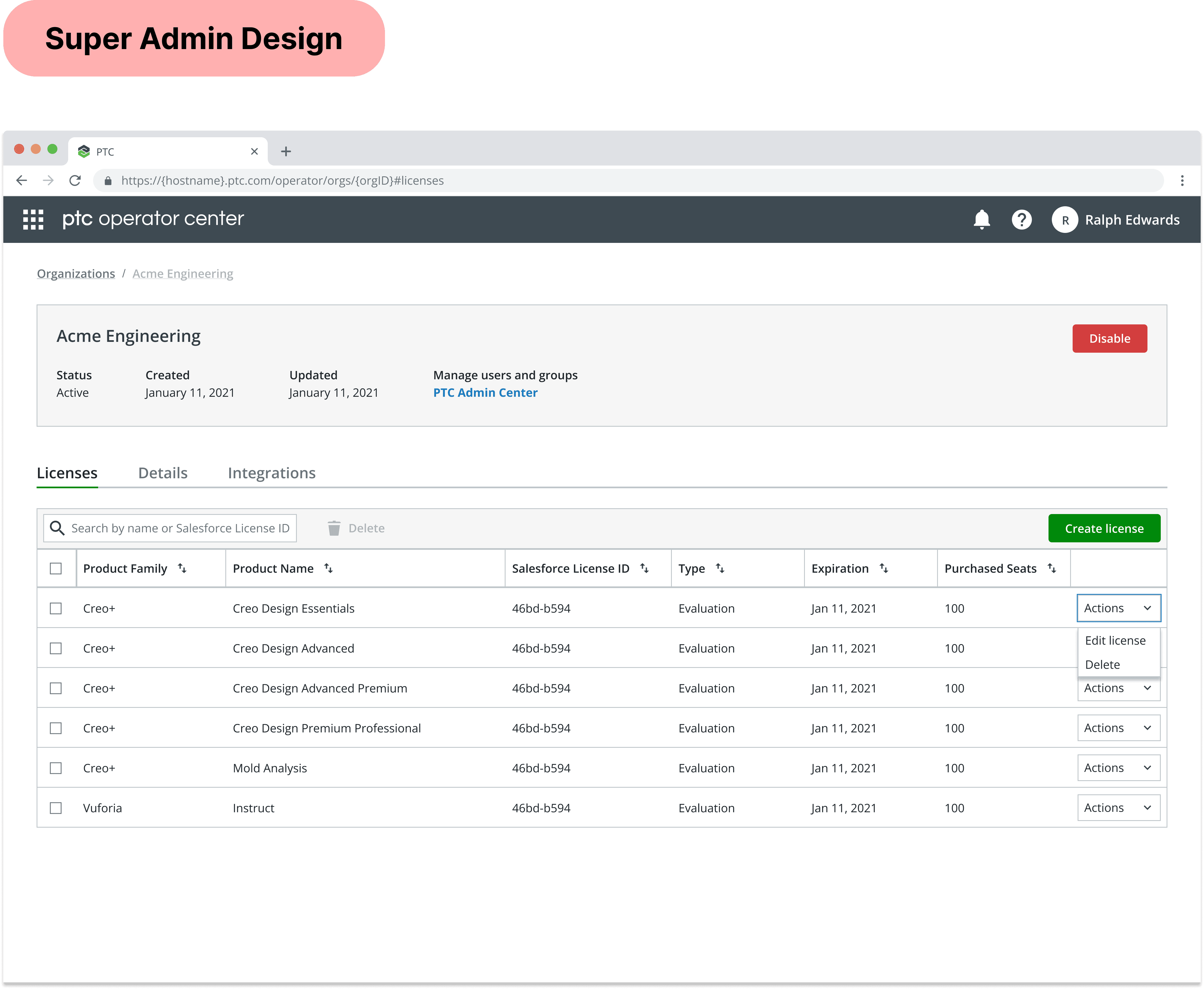
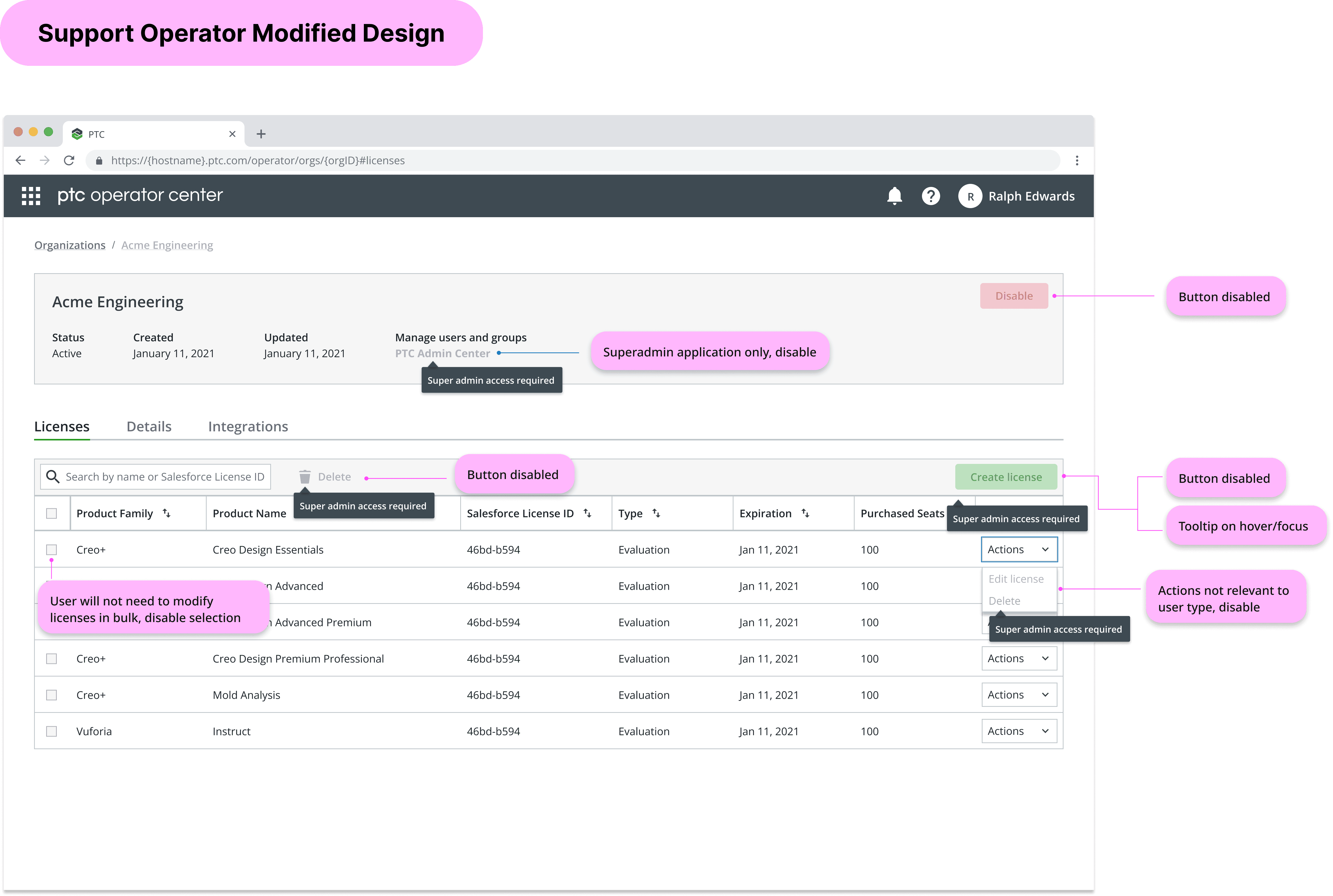
License management is a set of features only delegated to Super Admins, as any changes would drastically affect customer organizations' product ownership. Super Admins normally create and modify PTC licenses as part of their task flows, however; Support Admins would only need to reference and view this data, with no intent of modifying them.
3. Single Sign-on
Support Operators only receive view-only access when looking at the feature for setting up customer SSO capabilities, since customer authorization into PTC projects affects thousands of customers at once. However, it is still important for them to have context of customer SSO configurations in order for them to have a full understanding of their organization.
Managing Roles Without Losing Context
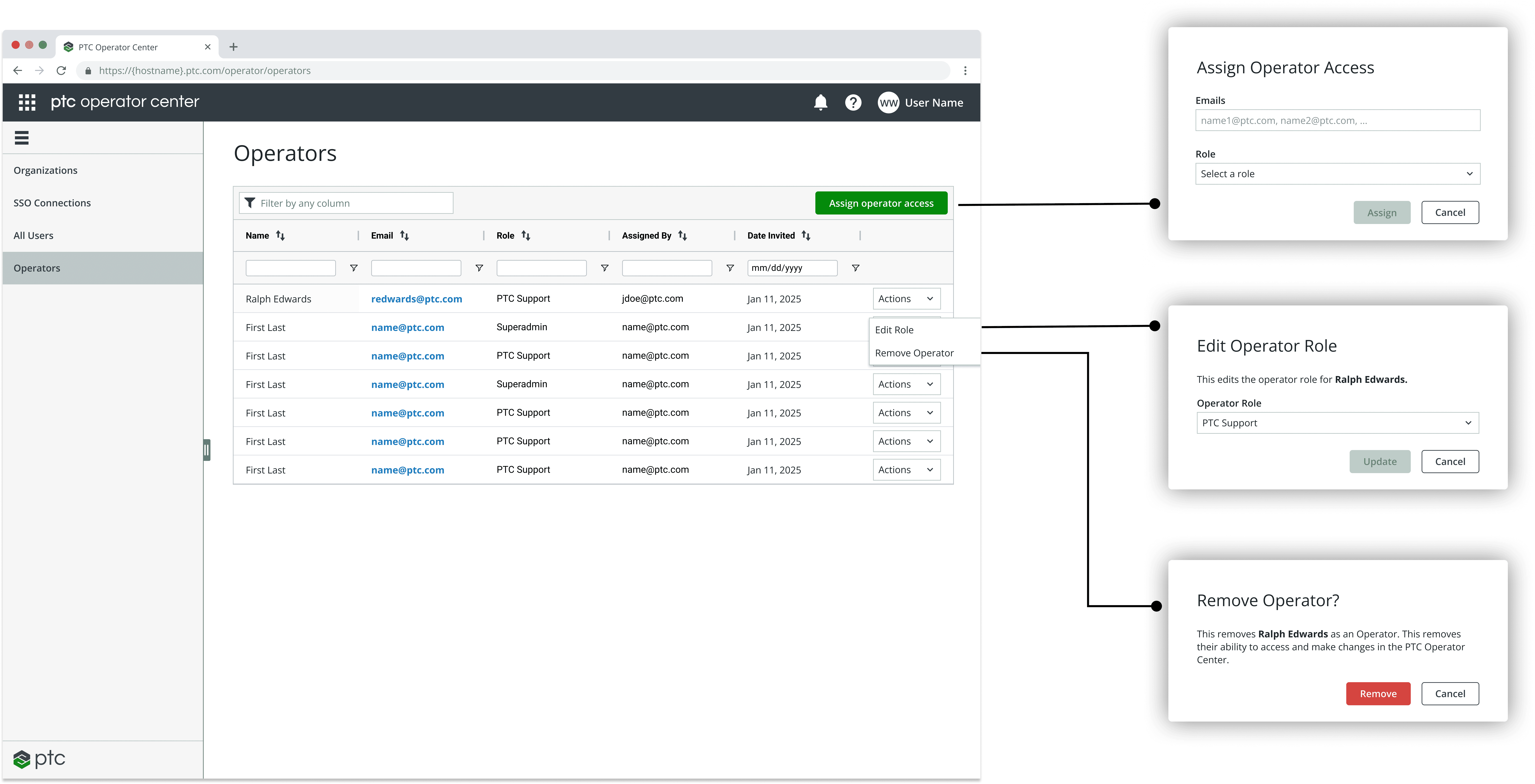
Previously, Super Admins relied on engineering to update operator access, creating bottlenecks and risk. I introduced a Role Management Table where admins can view all operators, roles, and metadata in one place. Each action—add, edit, or remove—opens a focused modal dialog, keeping users in context and reducing errors. This streamlined flow balances visibility, control, and security.
Building Trust Through Transparency
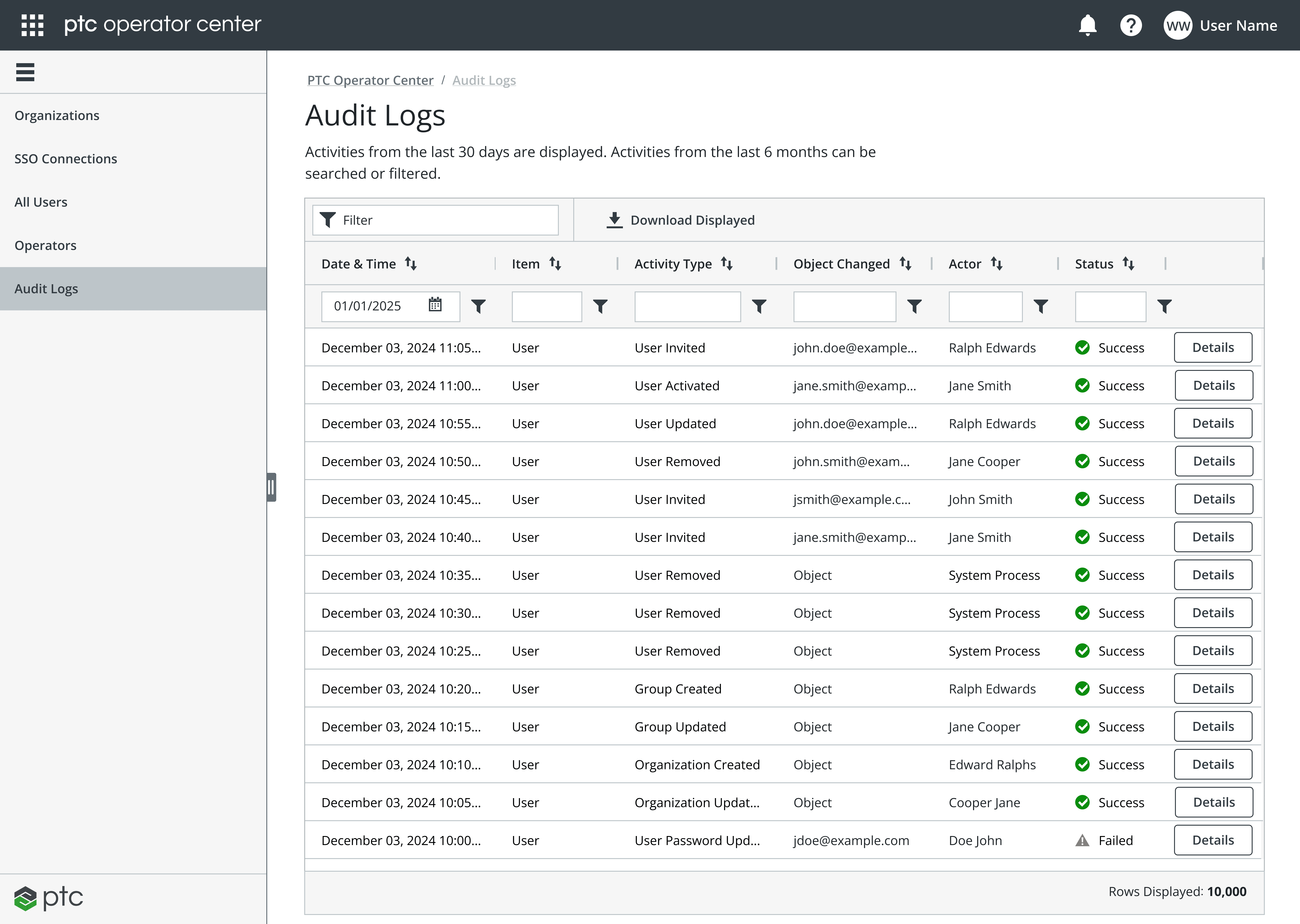
To support accountability and security, I designed an Audit Log Page that records every role or access change made by Super Admins. The table offers filters by user, date, and action type, giving teams a clear, traceable view of platform activity. Subtle visual hierarchy, timestamps, and status indicators make dense data easy to scan and interpret.
Each entry clearly shows:
What action was taken
Who performed it
Which user or role was affected
Whether the action succeeded or failed
This visibility reinforces confidence in delegated access and ensures alignment with enterprise compliance standards.
Measuring Success: Faster, Smarter, and Safer Support
With role-based access in place, support teams can now act immediately on customer issues without escalating to Super Admins. Administrative overhead dropped significantly, and response times improved. The audit trail feature strengthened compliance and accountability across internal users.
Early feedback from Super Admins and Support Operators confirmed that the new design improved visibility, reduced bottlenecks, and increased confidence in managing operator roles. Below are highlights from internal users describing the impact of these changes:
Reduced Turnaround Time
"Common support tasks can now be completed without waiting for a Super Admin."
Clearer Access Visibility
“I can immediately see who has which role and when changes were made.”
Improved Operator Management
"Assigning and managing access for new operators is now so simple. I can do it in seconds without leaving the table."
Final Takeaways
This project established a foundation for scalable, secure, and flexible role-based access across PTC’s applications. By combining research-driven UX with close collaboration with engineering, we designed a framework that balances flexibility, security, and visibility, empowering teams with clear role management and auditability.
Looking ahead, the framework sets the stage for dynamic permissioning tied to backend APIs and eventual customer-led role management, ensuring the platform can grow with organizational needs. Iterative validation and cross-team alignment were key to improving operational efficiency and creating a unified, long-term ecosystem for role-based experiences.

Other projects
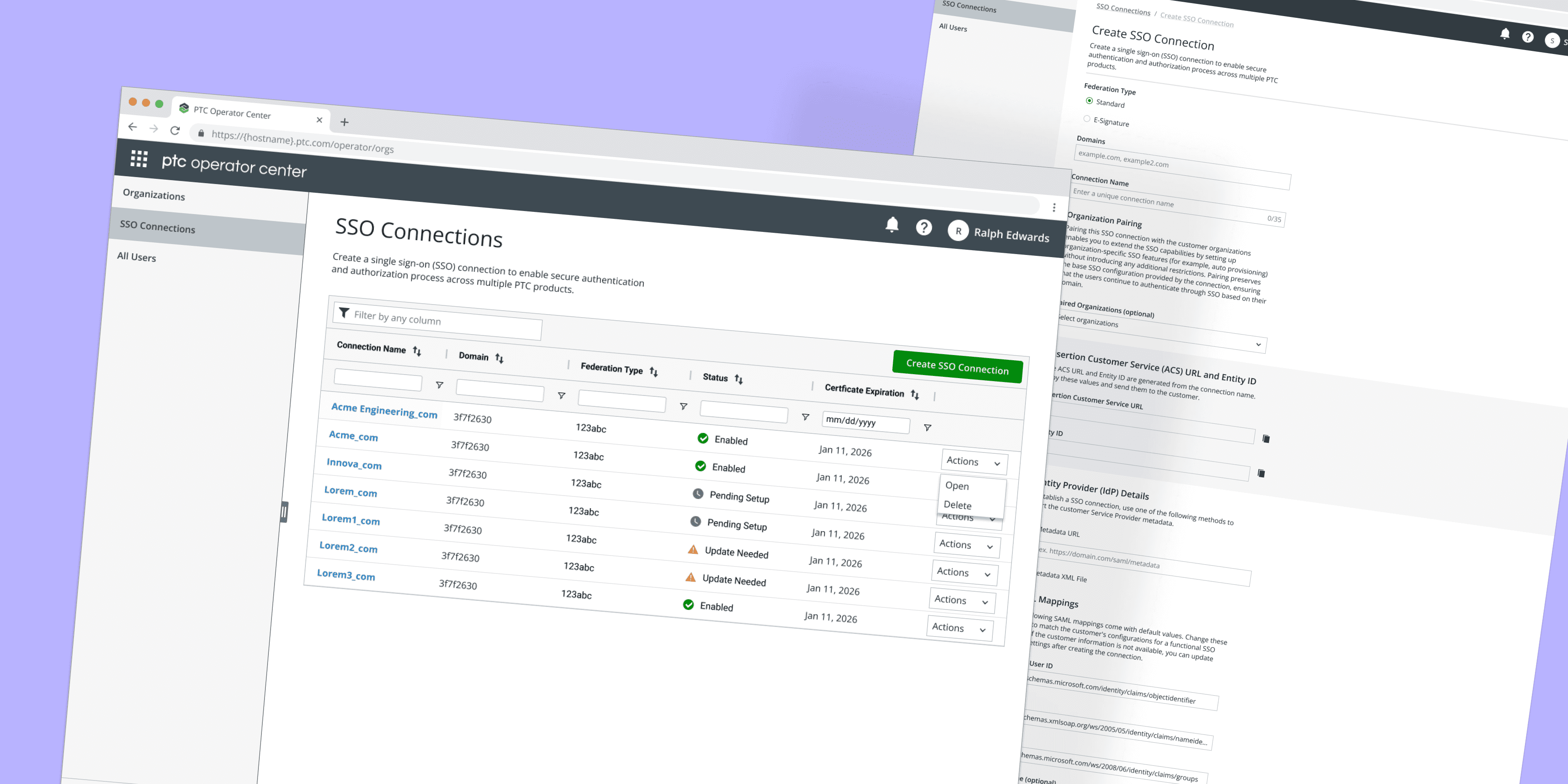
Single Sign-on Connection Manager
Streamlining customer SSO setup via the PTC Operator Center application.
Read More
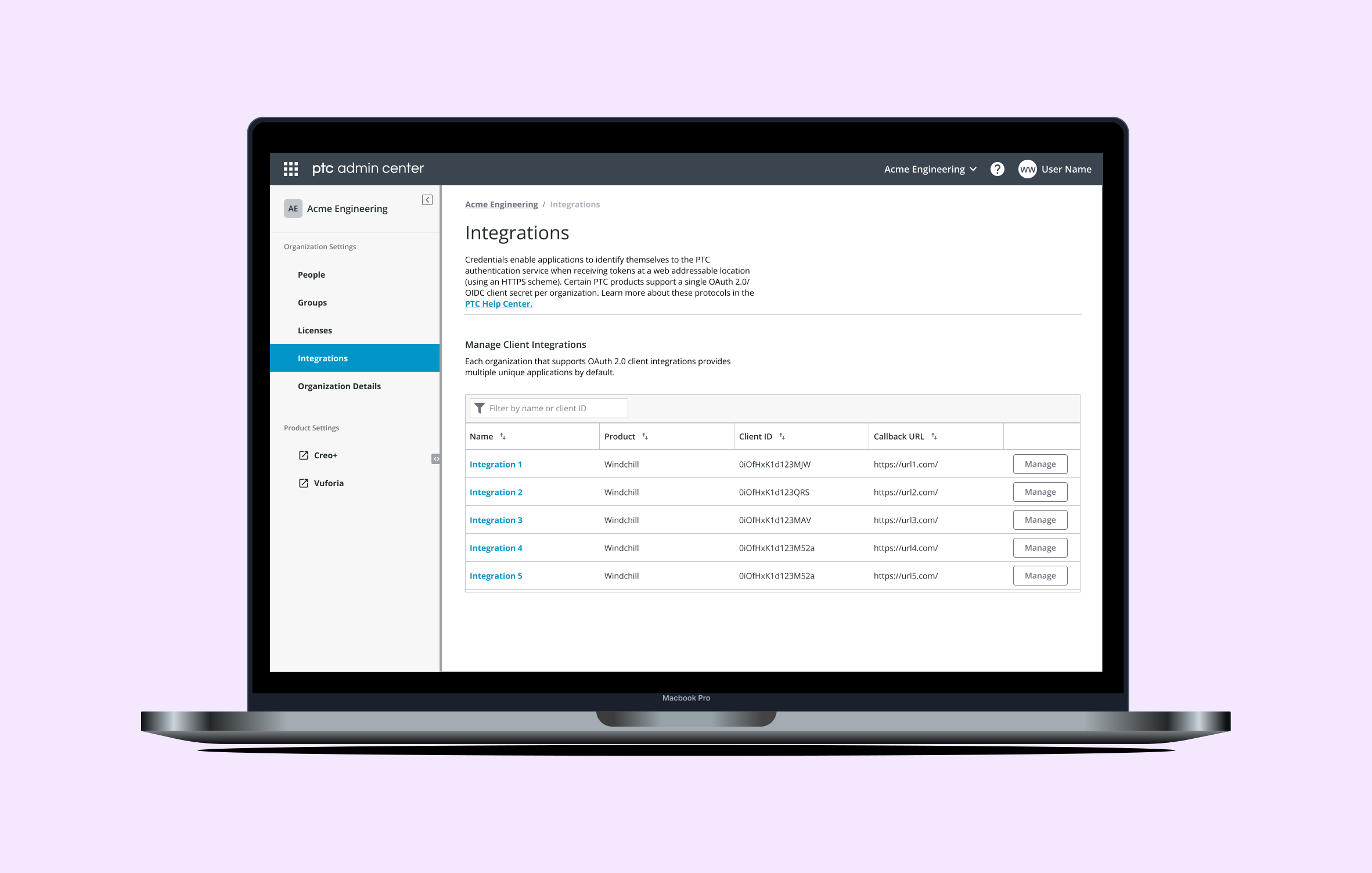
OAuth 2.0 Client Integration Manager
Integrating customer 3rd-Party applications with PTC products through the PTC Admin Center application.
Read More
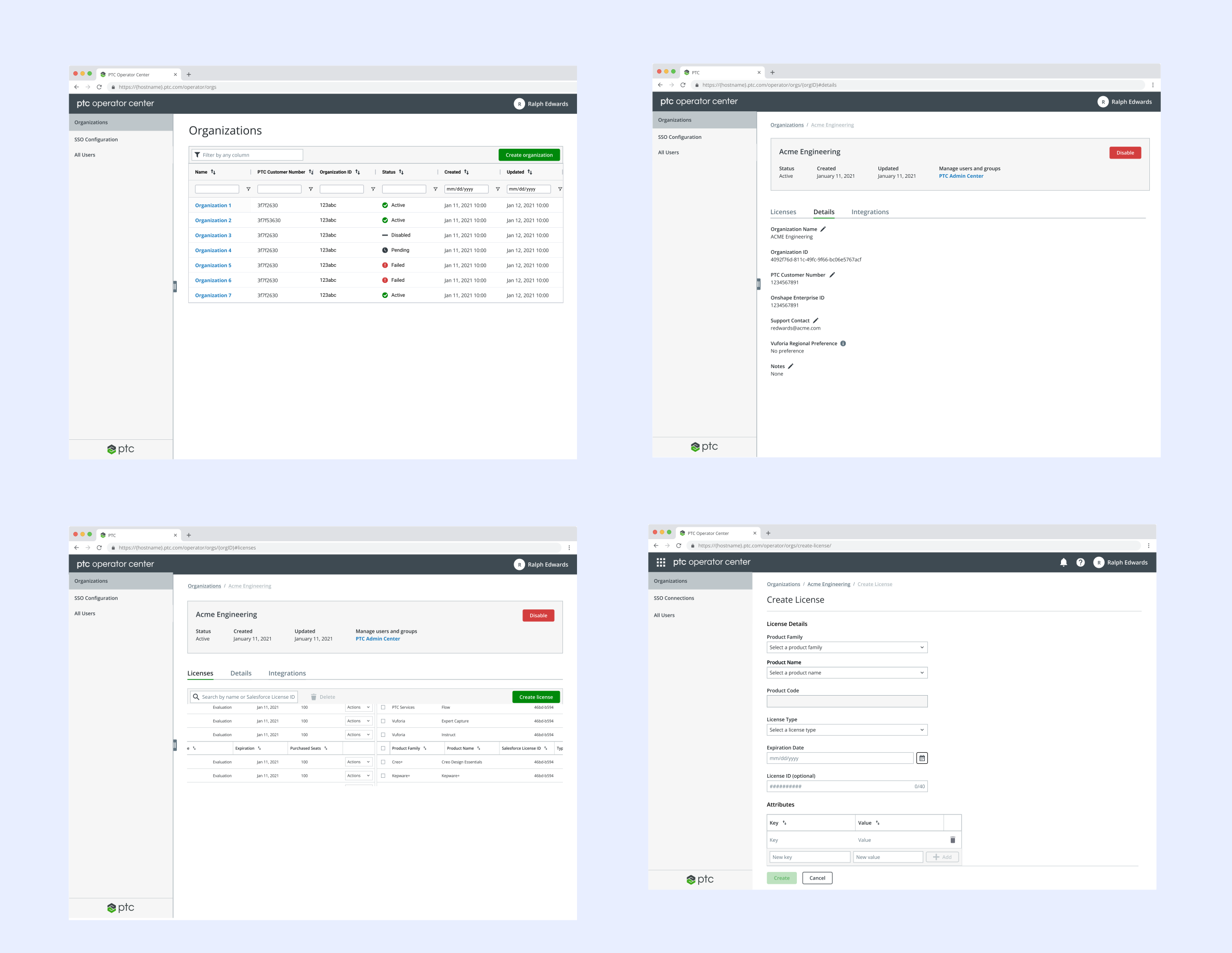
PTC Operator Center
Managing PTC customer organizations and licenses through an internal web application.
Read More